
Every filing season, criminals impersonate the IRS to steal money and identities — and Florida consistently ranks among the states with the most identity-theft and fraud reports. Scams have moved far beyond the old “you’ll be arrested today” phone call. Here is what we are seeing in 2026, how to tell real IRS contact from fake, and the simple steps that protect your refund.
- The IRS almost always starts contact by U.S. mail. It does not demand payment by gift card, wire, crypto or payment app, and doesn’t threaten immediate arrest.
- Get a free Identity Protection PIN — the single best defense against someone filing a return in your name.
- Be skeptical of social-media “tax hacks”, QR codes in texts and charities that appear after a hurricane.
- If you’re targeted, don’t engage. Report it and call a professional you already trust.
How the real IRS contacts you
Real IRS contact usually begins with a letter or notice printed with a notice number (for example CP14 or CP2000) in the top corner. IRS employees may later call or visit — typically after you’ve received letters — and revenue officers carry two forms of official credentials. You can verify any notice by logging in to your IRS Online Account at IRS.gov, where real notices and balances appear.
The IRS will never:
- Demand immediate payment by prepaid debit card, gift card, wire transfer, cryptocurrency or payment app;
- Threaten to have local police or immigration officers arrest or deport you;
- Ask for credit- or debit-card numbers over the phone;
- Initiate contact by text message, email or social media to request personal or financial information;
- Demand payment without giving you a chance to question or appeal the amount.
Payments to the IRS go only to the “United States Treasury” or through IRS.gov/payments.
The scams we’re seeing in 2026
The IRS publishes an annual “Dirty Dozen” list of schemes. These are the ones most likely to reach Cutler Bay mailboxes and phones:
1. Phishing and “smishing” with QR codes
Emails and texts that look like IRS or tax-software messages about a “refund hold”, “account suspension” or “verification required”, often with a QR code or link to a convincing fake site. The goal is your login, SSN or bank details. The IRS reported identifying more than 600 social-media impersonator accounts in fiscal year 2025 alone.
2. Fake “IRS online account helpers”
Scammers offer to help you create your IRS Online Account — then use your information to create it for themselves, giving them access to your tax records. Only create your account directly at IRS.gov.
3. Social-media “tax hacks”
Viral videos encourage people to claim credits they don’t qualify for — fake fuel-tax credits, sick-leave credits for people who never had a business, or invented W-2 income. Filing a false return can lead to frozen refunds, penalties and even criminal charges, and the person who posted the video won’t be there to help.
4. Ghost preparers
Every paid preparer must sign your return and include their PTIN. A “ghost” preparer charges a percentage of your refund, has the refund deposited into their own account, or asks you to sign a blank return. Walk away.
5. Bogus charities after disasters
After hurricanes, fraudulent charities copy real names and solicit donations by phone, text and social media. Verify charities with the IRS Tax Exempt Organization Search and give directly through their official websites.
6. “Pennies on the dollar” settlement mills
Aggressive ads promise to wipe out tax debt. Many charge large upfront fees for Offers in Compromise that people don’t qualify for. A legitimate professional will review your finances before making any promise. See how IRS settlements really work.
7. New-deduction scams
The new deductions for tips, overtime and seniors are being used as bait: “Claim your no-tax-on-tips refund — just verify your SSN.” There is no separate application; the deductions are claimed on your regular tax return.
Seven habits that protect your refund
- Get an IP PIN. Anyone with an SSN or ITIN can request an Identity Protection PIN through their IRS Online Account. It changes every year and the IRS rejects e-filed returns without it.
- File early. A thief can’t file in your name if your return is already accepted.
- Use direct deposit to an account in your own name.
- Secure your devices with updates, strong unique passwords and multi-factor authentication — especially email, which is the key to resetting everything else.
- Never send SSNs or tax documents by ordinary email or text. Use a secure portal.
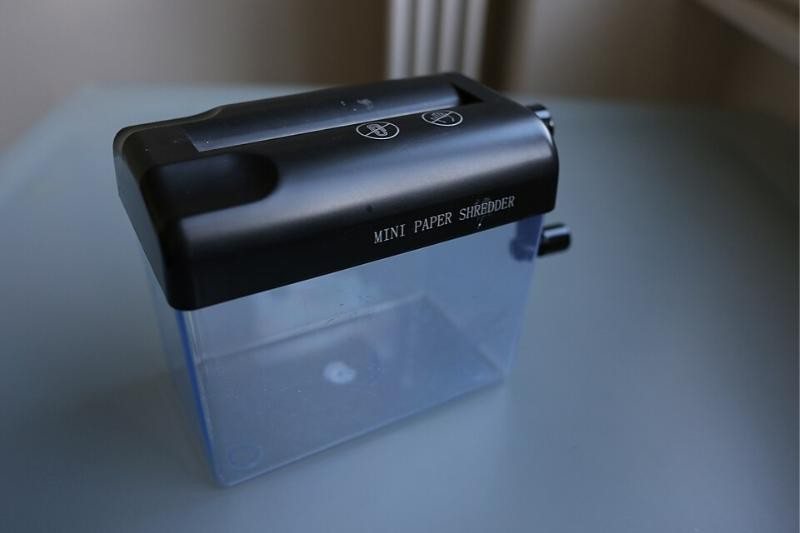
- Shred old statements and pre-approved offers you don’t need (see how long to keep records).
- Check your credit reports regularly and consider a free credit freeze with Equifax, Experian and TransUnion.
Signs your identity was already used
- Your e-filed return is rejected because a return with your SSN was already filed;
- You receive an IRS letter about a return you didn’t file, or Letter 5071C/4883C/5747C asking you to verify your identity;
- You get a W-2 or 1099 from an employer you never worked for;
- You receive a refund you didn’t expect.
What to do if you’re targeted
- Don’t respond, click or pay. Hang up and don’t call back numbers left in messages.
- Report it: forward IRS-impersonation emails to [email protected]; report phone scams to the Treasury Inspector General for Tax Administration (TIGTA) and the FTC at ReportFraud.ftc.gov.
- If your SSN was used, respond to any IRS letter immediately, file Form 14039 (Identity Theft Affidavit) if instructed, report at IdentityTheft.gov, and place a credit freeze.
- Call us. We can check your IRS transcripts, help verify your identity and get your return processed.
Frequently asked questions
Does the IRS ever call?
Yes, but usually only after sending letters, for example about an existing balance or an audit. If in doubt, hang up and check your IRS Online Account or call the IRS directly using a number from IRS.gov.
Is an IP PIN worth it?
Yes. It’s free, takes minutes to set up online and is one of the most effective protections against tax-refund identity theft.
Can scammers really use a QR code?
Yes — “quishing” hides malicious links behind QR codes in texts, emails and even paper mail. Type IRS.gov yourself instead of scanning codes.